Receive OTP Without Using Your Real Email – Secure 2026 Guide
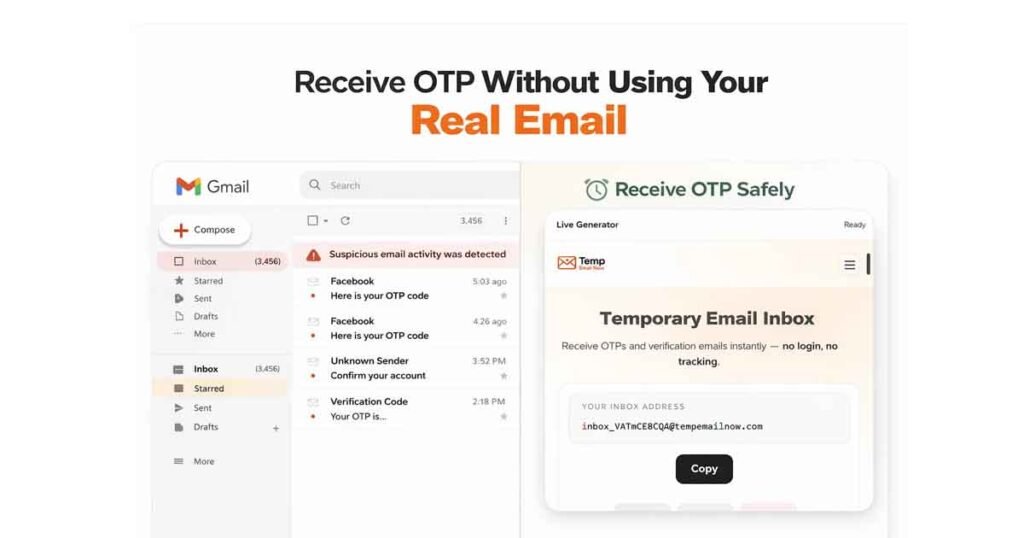
(Temp Email Now) – Receive OTP without using your real email — that’s the smartest way to verify accounts in 2026 without exposing your permanent inbox to spam, tracking pixels, or data harvesting.
Today, almost every platform requires email verification. Social media apps, SaaS tools, online marketplaces, and free trials all send one-time passwords (OTPs) before granting access. But using your primary email address for short-term verification can create long-term privacy risks.
Here’s the key question:
Do you really need to share your permanent inbox just to receive a single OTP?
In most cases, the answer is no.
If a website only requires a temporary verification code, you can receive OTP without using your real email by using a session-based temporary email system. This approach protects your inbox from spam chains, reduces digital exposure, and prevents unnecessary data storage.
In this 2026 guide, you’ll learn exactly how to receive OTP without using your real email safely, legally, and efficiently using session-based temporary email.
Why You Shouldn’t Use Your Real Email for Every OTP
Using your main email for every signup may lead to:
- Spam and promotional overload
- Email tracking pixels
- Data broker harvesting
- Increased phishing exposure
- Account profiling
Many websites store your email permanently even if you only needed it for one verification step.
Instead, you can use a disposable email built specifically for short-term tasks.
What Is a Session-Based Temporary Email?
A session-based temporary email is a private disposable inbox that:
- Generates instantly in your browser
- Does not require signup
- Is not publicly shared
- Expires automatically
- Deletes all messages after expiration
Unlike shared public inboxes, a session-based system isolates your inbox to your browser session.
Learn more about how it works here:
👉 https://tempemailnow.com/session-based-temporary-email
This architecture significantly reduces inbox conflicts and privacy risks.
Step-by-Step: How to Receive OTP Without Using Your Real Email
Step 1: Open a Temporary Email Generator
Visit:
👉 https://tempemailnow.com/5-minute-email
Your inbox is generated instantly.
No login required. No registration needed.
Step 2: Copy the Temporary Email Address
You’ll see your disposable email address on screen.
Click “Copy”.
Step 3: Paste It Into the Website Requiring OTP
Enter the temporary email in the signup or verification field.
Submit the form.
Step 4: Wait for the OTP Email
The inbox refreshes automatically.
Once the verification email arrives:
- Open the message
- Copy the OTP code
- Complete verification
Step 5: Let It Expire
After 5 minutes:
- The inbox automatically expires
- Messages are deleted
- No long-term data is stored
You’ve successfully verified without exposing your permanent email address.
5 Minute vs 10 Minute Email for OTP
If the website sends OTP instantly → use 5 Minute Email
👉 https://tempemailnow.com/5-minute-email
If the platform may delay verification → use 10 Minute Email
👉 https://tempemailnow.com/10-minute-email
Choose based on delivery time.
Why Session-Based Temporary Email Is Safer Than Public Inboxes
Not all temporary email services are equal.
Some platforms use shared inbox systems where:
- Multiple users access the same mailbox
- Messages are publicly viewable
- Privacy is weaker
Session-based systems isolate your inbox per browser session.
That means:
- No shared access
- No public exposure
- Automatic deletion
- Reduced tracking
Understand the full architecture here:
👉 https://tempemailnow.com/session-based-temporary-email
This is why session-based temporary email is more secure for OTP verification.
Is It Legal to Use Temporary Email for OTP?
Yes — using a temporary email is legal in most countries.
You are not bypassing security systems.
You are simply choosing not to share long-term personal data.
However, some platforms may block disposable domains based on their internal policies.
If that happens:
- Generate a new session
- Try a longer duration email
- Use alternative verification if required
When Should You Use Temporary Email for OTP?
Ideal use cases:
- Free trials
- App registrations
- Developer testing
- One-time downloads
- Forum accounts
- Giveaway signups
Avoid using temporary email for:
- Banking services
- Financial accounts
- Government portals
- Long-term subscriptions
Use it where temporary verification makes sense.
Are Temporary Emails Traceable?
Session-based temporary email does not require:
- Name
- Password
- Signup
- Identity
The inbox exists only for the duration of the session.
After expiration, messages are deleted.
However, remember:
Websites may still track via IP, browser fingerprinting, or cookies.
Temporary email protects your inbox — not your entire digital identity.
Final Thoughts
You don’t need to give permanent access to your inbox just to receive a one-time password.
If a website only needs verification:
Generate.
Verify.
Expire.
Move on.
Start with:
👉 https://tempemailnow.com/5-minute-email
👉 https://tempemailnow.com/session-based-temporary-email
Protect your real inbox. Reduce spam. Stay in control.