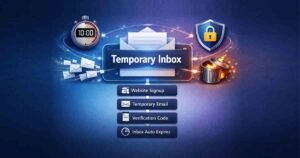
How to Generate a Temporary Email Now (Step-by-Step Guide)
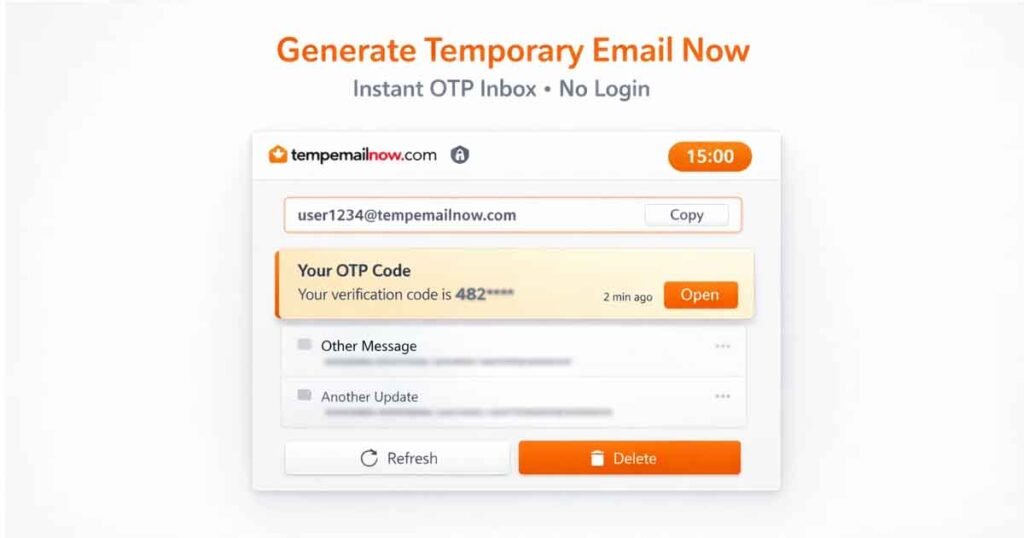
If you need instant email access for OTP verification, secure sign-ups, testing accounts, or spam protection, this guide explains exactly how it works. Instead of exposing your real inbox to marketing emails, trackers, and unwanted newsletters, you can create a disposable address instantly using Temp Email Now — no registration, no login, and no personal information required.
Disposable inbox services have become essential in today’s digital environment. Whether you’re signing up for a new app, verifying an account, or testing a workflow, using a short-term email address protects your primary inbox and keeps your identity private.
What Is Temporary Email Now?
Temporary Email Now refers to instantly generating a short-term, disposable email address that can receive messages for a limited session. These inboxes are commonly used for:
- OTP verification
- Website registrations
- Free trial access
- App and software testing
- Spam isolation
- Anonymous sign-ups
Unlike traditional email accounts, this type of temporary inbox does not require:
- Account creation
- Password setup
- Phone verification
- Long-term message storage
The inbox expires automatically after the selected session, reducing long-term digital exposure.
Why Use a Disposable Inbox Instead of Gmail?
Many users wonder why they shouldn’t just create a second Gmail account.
Here’s the difference:
1. Instant Access
A disposable address is ready immediately. No setup required.
2. No Identity Exposure
No real name, recovery email, or phone number needed.
3. Automatic Expiration
Messages are deleted after the session ends.
4. Spam Isolation
Your primary inbox remains clean and protected.
5. Faster Workflow
Ideal for developers, testers, and quick sign-ups.
For short-term needs, using a temporary address is far more efficient than managing another permanent account.
How to Generate a Temporary Email Now in 3 Simple Steps
Step 1: Visit the Official Website
Go to https://tempemailnow.com/ — the inbox loads instantly.
Step 2: Generate or Refresh Your Inbox
If needed, click the generate button to create a new disposable email address immediately.
Step 3: Receive OTP and Verification Emails
Use the generated address to:
- Receive OTP codes
- Get confirmation links
- Complete registrations
Messages arrive in real time inside your session-based inbox.
No login. No password. No registration.
How Long Does the Inbox Last?
Most disposable email platforms operate on time-limited sessions.
With Temp Email Now, you can choose:
- 5 minutes
- 10 minutes
- 15 minutes
- 30 minutes
After expiration:
- The inbox deletes automatically
- All messages are permanently removed
- Recovery is not possible
This structure ensures strong privacy protection.
Is Temporary Email Now Safe?
Yes — when used properly.
A session-based inbox is safe because:
- It doesn’t require personal details
- It minimizes phishing exposure
- It isolates spam
- It deletes automatically
However, it should not be used for:
- Banking
- Government services
- Long-term communication
Disposable addresses are designed strictly for short-term access.
Temporary Email Now vs Email Generator Tools
Some people confuse action-based queries with tool searches.
| Temporary Email Now | Email Generator Tool |
|---|---|
| Intent to create instantly | Intent to find software |
| Action-oriented | Feature-oriented |
| Immediate inbox access | Tool comparison mindset |
When users search this phrase, they usually want instant access — not just information about tools.
That’s why this guide focuses on action.
Common Use Cases
OTP Verification
Receive one-time passwords without exposing your real address.
Free Trial Sign-Ups
Access services without long-term marketing emails.
Account Testing
Developers and QA teams can validate email flows quickly.
Spam Protection
Avoid promotional overload.
Anonymous Registration
Sign up without linking your personal identity.
Can It Receive Attachments?
Most disposable inboxes support attachments depending on:
- File size limits
- Sender restrictions
- Session duration
Always download important files before the session expires.
Does It Work for All Websites?
In most cases, yes.
However:
- Some platforms block disposable domains
- Financial services may require permanent email accounts
- High-security systems might restrict temporary inboxes
For general websites, apps, and testing scenarios, it works effectively.
Is It Legal?
Using a temporary inbox is legal in most regions when used for:
- Privacy protection
- Spam prevention
- Software testing
Problems only arise if used for fraud or malicious activity.
Always follow the platform’s terms of service.
Best Practices
To maximize safety:
- Avoid sensitive data sharing
- Choose appropriate session duration
- Don’t rely on disposable inboxes for recovery
- Complete verification before expiration
Why Temp Email Now Focuses on Instant Access
The platform is built for:
- Browser-based instant inbox generation
- Session-controlled expiration
- Privacy-first design
- No login requirements
- Real-time message delivery
The goal is simplicity and speed.
When users look for immediate access, they expect efficiency — and that’s exactly what the system delivers.
Frequently Asked Questions
What does Temporary Email Now mean?
It refers to instantly creating a short-term disposable inbox for verification or sign-ups.
Can it receive OTP codes?
Yes, most platforms allow OTP delivery to temporary inboxes.
Does the inbox expire automatically?
Yes, messages are permanently deleted after the selected duration.
Is it anonymous?
Yes, no personal registration is required.
Final Thoughts
Creating a disposable email address is one of the simplest ways to protect your primary inbox from spam, unwanted promotions, and unnecessary tracking.
Whether you need quick verification, short-term registrations, or secure testing access, a session-based inbox provides immediate functionality without long-term commitment.
If you want instant access, visit Temp Email Now and create your disposable inbox in seconds. Google account security guidelines.