The Battle for Your Inbox: TempMail vs. “Hide My Email” — A 2026 Guide
In an era where every web signup carries the risk of a flood of spam, targeted phishing, or data broker sales, protecting your primary email address is no longer optional—it is a cornerstone of essential digital hygiene. Disposable emails have emerged as the primary weapon in this fight, but not all “temporary” inboxes are created equal.
If you find yourself constantly battling a cluttered inbox, you aren’t just facing a volume problem; you are facing a lack of strategy. The real choice isn’t just between privacy tools—it is between two fundamentally different philosophies: ephemeral throwaways and persistent aliases. Understanding this distinction is the difference between a secure digital life and a compromised one.
The Core Difference: Lifespan vs. Continuity
To master your inbox, you must first understand the two distinct tracking-prevention tools at your disposal.
1. TempMail: The Ephemeral “Burner”
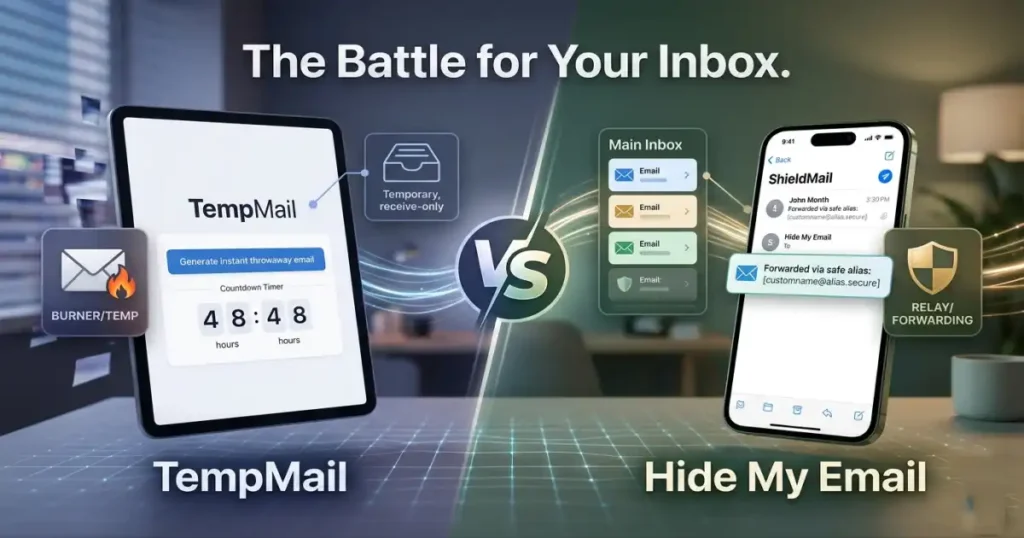
When you use a service like TempMail, you are utilizing a self-destructing, receive-only inbox. These services generate a random address that exists for a very limited duration—usually ranging from a few minutes to 48 hours.
Typical layout of an instant throwaway email generator. Source: Medium
This model is the digital equivalent of a burner phone. You visit TempMail to generate a mailbox, use it for a specific verification code, and then walk away. There is no account creation, no password, and, most importantly, no link to your real identity. Once the session expires, the address and every message contained within it vanish from the internet.
2. Alias Relays: The Persistent “Shield”
Conversely, tools like Apple’s “Hide My Email,” Firefox Relay, or services like SimpleLogin work through a process called forwarding. Instead of an isolated site workspace, you create a unique, permanent alias that acts as a mask.
How an alias relay routes messages safely back to a core mailbox. Source: Zextras Community
Any mail sent to that alias address is automatically routed by the middleman server to your primary, secure inbox. These tools are designed for longevity. They remain active until you manually disable or delete them, allowing you to maintain access for receipts, newsletters, and password resets without ever revealing your actual email address to the sender.
How Each Option Works in Practice
The Case for TempMail
TempMail excels in “high-friction” or “high-sketch” environments. Suppose you want to download a whitepaper, test a piece of software, or access a “one-time-only” discount on a site you don’t trust. Using your primary email would invite a lifetime of marketing spam. Using a session-based temporary email allows you to grab what you need and leave no trace behind.
- The Pro: Radical simplicity. No tracking, no login, and zero permanent connection to your identity.
- The Con: Fragility. If a site requires a verification code three days later, or if you need to recover a password, the address is likely already gone.
The Case for Alias Relays
Alias relays are for the accounts you plan to keep. When signing up for an e-commerce platform, a community forum, or a professional newsletter, you need to be able to receive future correspondence.
- The Pro: Compartmentalization. Because each alias is unique to the sender, if a specific site suffers a data breach and begins sending you spam, you can simply “kill” that one alias without affecting the rest of your digital life.
- The Con: Technical footprint. Most require an account and an active configuration to forward messages to your real inbox.
Detailed Comparison
| Feature | TempMail (Disposable) | Alias Relays (e.g., Hide My Email) |
|---|---|---|
| Lifespan | Minutes to Hours (auto-delete) | Permanent until manually deactivated |
| Setup | Instant, no account needed | Quick one-time integration |
| Reply Capability | Usually none or very limited | Yes, full reply support in most services |
| Primary Inbox | Isolated browser tab | Forwards to your secure inbox |
| Custom Domains | Almost never | Available on most paid plans |
| Best Use Cases | One-off verifications, shady sites | Shopping, newsletters, ongoing accounts |
| Breach Risk | Minimal (nothing linked long-term) | Low-to-medium (depends on provider) |
Strategic Implementation: The Tiered Framework
The smartest privacy approach is not choosing one tool over the other—it is knowing when to deploy each. Most privacy-conscious users adopt a tiered strategy:
- Tier 1 (The Fortress): Your “Real” Email. Reserved exclusively for banking, government services, healthcare, work, and close personal contacts. Never use this for general web signups.
- Tier 2 (The Shield): Persistent Aliases. Use these for every recurring account—online stores, social media platforms, and verified newsletters. If one alias starts leaking spam, disable it and move on.
- Tier 3 (The Burner): TempMail. Reserved for “sketchy” interactions. If a site feels like it might be a data broker or a low-trust operation, use a disposable address.
Advanced Tactics for Maximum Privacy
For those seeking to fully optimize their privacy footprint, consider these two advanced configurations:
Utilize Custom Domains
If you use a relay service, hook it up to a custom domain. This gives you the ability to create addresses like amazon@yourname.com or reddit@yourname.com on the fly. It looks professional, and if you ever decide to switch relay providers, your email addresses stay the same—you simply update the MX routing records.
The Browser Extension Advantage
The biggest barrier to digital privacy is friction. If it takes too long to generate an alternative email, you won’t do it. Install the browser extension for your chosen relay provider. These tools automatically detect a signup form on any website and suggest a new, unique alias with a single click.
A Word of Caution on the “Reliability” Factor: Be aware that some financial services, government portals, or high-security sites utilize heuristic scanners that specifically block known disposable email domains. In these rare cases, the service provider may demand a “reputable” email address. This is precisely why you should keep a dedicated, secondary email address (not your main one) for these specific, high-trust scenarios.
The Bottom Line
Think of TempMail as a single-use mask or a burner phone for the “dirty” errands of the internet. It offers maximum short-term privacy with zero ongoing responsibility. Email aliases, meanwhile, function like a series of digital P.O. boxes, providing control and continuity for the parts of the web you actually use.
Your inbox doesn’t have to be a battlefield. By layering these solutions strategically—using burners for the sketchiest corners of the web and reliable aliases for the sites you trust—you can maintain a well-defended fortress while enjoying all the convenience the modern web has to offer.
Ready to clean up your digital footprint? Start by auditing your current signups, then visit TempMail the next time you encounter a form that asks for your “best” email.