Essential Privacy Hacks for Secure Online Shopping in 2026
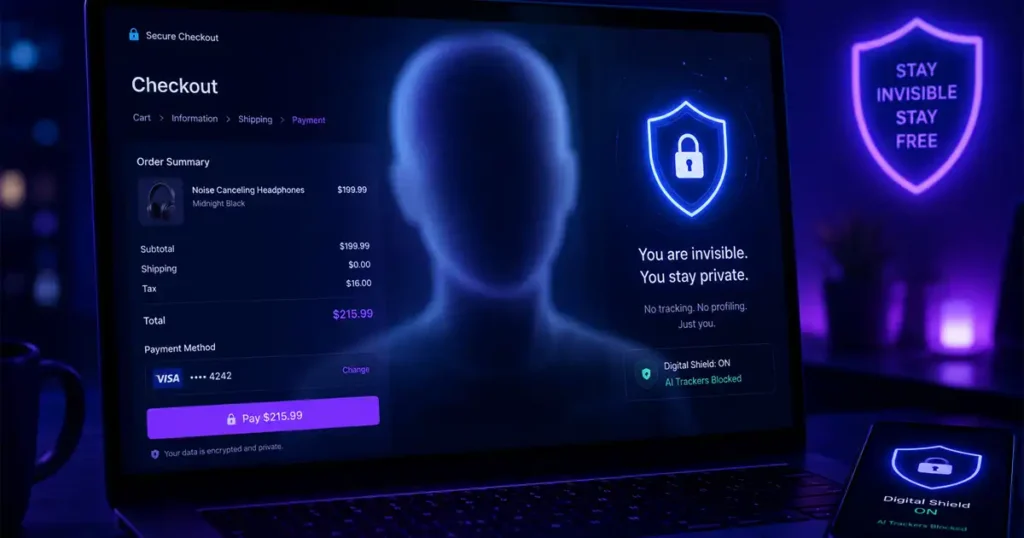
The landscape of online shopping has shifted dramatically. In 2026, retail surveillance is no longer just about cookies and basic browser tracking. We are operating in the era of AI-driven data harvesting, where retailers and third-party data brokers link fragmented metadata across platforms to create a persistent, predictive identity of your life.
Every time you input your real email address or primary credit card at a checkout screen, you are effectively signing over a piece of your digital identity. This information is logged, sold, and used to map your preferences, physical location, and spending power. To survive in this “data gold rush,” you must treat every transaction like a potential security breach. It is time to vanish from the grid and build a transactional fortress.
The Evolving Threat: Why 2026 Is Different
The threat isn’t just a simple data leak; it is the Persistent Identity. Modern retail trackers now utilize cross-platform AI models to correlate your browsing history, social media activity, and purchase history. If you use a single “real” anchor—your primary email or credit card—to shop at multiple stores, you provide the missing link that allows these companies to construct a full profile of your life.
This is why traditional privacy measures are no longer sufficient. You need a total reset of your transactional footprint. Here is how to regain your anonymity.
7 Privacy Hacks for Secure Online Shopping
1. Implement Session-Based Temporary Emails
Your email address is the primary key used to link your identity across thousands of databases. By using your personal email for shopping, you invite spam, targeted advertising, and potential data leaks.
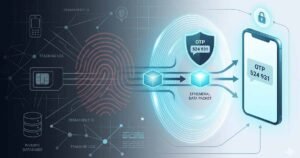
- The Hack: Use Temp Email Now to generate instant, disposable inboxes. By using a session-based temporary email, you create a clean break between your purchase and your real-world identity. These inboxes are perfect for OTP verification and account sign-ups, and they expire automatically, ensuring no merchant retains a permanent link to your real-world persona.
2. Deploy Virtual Credit Cards (VCCs)
Never expose your actual banking credentials to a merchant. If that store’s database is compromised, your real card details become part of the dark web inventory.
- The Hack: Use virtual credit card providers to generate merchant-locked cards. Set a spending limit exactly equal to the transaction price. Even if the merchant is breached, the card cannot be used anywhere else.
3. Mask Your Physical Persona
Shipping addresses are gold mines for data brokers because they tie your digital behavior to your physical doorstep.
- The Hack: For non-essential or high-privacy purchases, utilize PO Boxes or trusted parcel forwarding services. Keeping your home address out of multiple merchant shipping databases significantly reduces the risk of physical-to-digital mapping.
4. Master the Art of the “Guest Checkout”
Convenience is the enemy of privacy. Retailers heavily incentivize creating accounts because an account creates a “sticky” profile that they can track over years.
- The Hack: Always bypass account creation. If a site forces you to create an account, reconsider your purchase. Use a temporary email for the verification, but never save your payment methods or address in their portal.
5. Neutralize Browser Fingerprinting
Retailers don’t just track cookies; they track your device. They analyze your screen resolution, OS version, installed fonts, and battery status to identify your specific device, even if you are in “Incognito” mode.
- The Hack: Use a privacy-hardened browser (like Mullvad or Brave) and regularly use VPNs to rotate your IP. Disable non-essential browser extensions during checkout to prevent scripts from scraping your input fields.
6. Encrypt Your Checkout Tunnels
The “Checkout Tunnel” is the gap between your browser and the merchant’s server. If this is not secure, man-in-the-middle attacks can intercept your data.
- The Hack: Only shop on sites that enforce HTTPS. More importantly, ensure your DNS requests are encrypted (using DNS-over-HTTPS) so your ISP cannot track which retail domains you are visiting.
7. Enforce a Strict “Clear-Out” Policy
Data persistence is the silent killer of privacy. The longer a merchant can keep your data, the more time their AI has to build your profile.
- The Hack: Configure your browser to clear all cookies, cache, and site data upon closing the window. By doing this, you ensure that every shopping session starts from a blank slate.
Why Temporary Email is Your Secret Weapon in 2026
When you use a service like Temp Email Now, you aren’t just getting a temporary inbox; you are deploying a privacy shield.
Services that provide session-based temporary email allow you to control exactly how long your inbox exists—whether it’s 5, 10, 15, or 30 minutes. Once you receive your OTP or verification link, the inbox and all associated data vanish forever. This is the ultimate way to stay invisible.
By integrating a free temporary email into your routine, you isolate promotional spam and prevent retail trackers from building a history of your activities. You stop being a trackable data point and start shopping as a ghost.
Frequently Asked Questions (FAQ)
1. Are these essential privacy hacks for secure online shopping difficult to implement?
Not at all. Most of these hacks are designed for ease of use. While setting up a virtual credit card or a temporary email service may take a few minutes the first time, they quickly become a seamless part of your checkout workflow. The goal is to maximize your security without significantly adding friction to your shopping experience.
2. Will using a temporary email prevent me from receiving order updates?
It depends on the service. If you use a session-based temporary email like those from Temp Email Now, the inbox will be available for as long as you keep the session open. It is perfect for receiving order confirmations and shipping notifications immediately after purchase. However, since the inbox will eventually expire, it is not recommended for accounts you plan to revisit long-term, such as loyalty programs or subscription services.
3. Does a VPN alone provide enough security for online shopping?
A VPN is a crucial layer for masking your IP address and encrypting your traffic, but it is not a “cure-all.” Modern retailers use browser fingerprinting and persistent cookies to track you across different websites. For true privacy, you should combine a VPN with other essential privacy hacks for secure online shopping, such as using virtual credit cards and regularly clearing your browser cache.
4. Why should I avoid “One-Click” checkout features?
“One-Click” or “Save my info” features are designed for retailer convenience, not yours. By storing your payment and shipping details in their database, you create a permanent link between your physical identity and your digital shopping behavior. This makes it much easier for companies to build a comprehensive profile on you, which increases the risk of targeted surveillance and data correlation.
5. What if a website forces me to create an account to checkout?
If a site mandates account creation, it is a significant red flag for privacy. If you must proceed, use a temporary email to bypass the requirement and provide minimal, non-identifying information in any profile fields. Never link your social media accounts to the store, and ensure you use a unique, complex password generated by a password manager so that the account remains isolated from your other digital credentials.
Conclusion
The goal of these hacks is not to stop you from shopping, but to ensure that you remain in control of your digital identity. The 2026 digital landscape is aggressive, but with tools like virtual credit cards and session-based temp emails, you can build a fortress around your persona.
Start by auditing your current accounts today. Use temporary emails for every new transaction, and stop providing real-world anchors to digital retailers. Your data is your property—stop giving it away for free.